
AI can make everyday money decisions feel less overwhelming by turning messy transaction histories into clear patterns, alerts, and next steps. Instead of staring at long bank statements, you can use AI-assisted categorization, anomaly detection, and trend summaries to understand what’s actually driving your spending—then turn those insights into simple routines you’ll stick with.
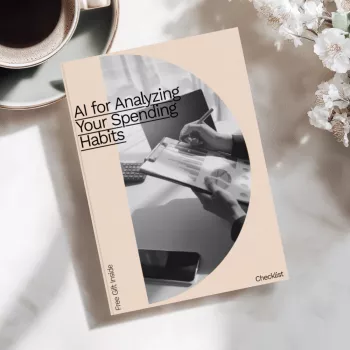
If you want a ready-made structure to follow, AI for Analyzing Your Spending Habits: The Ultimate Checklist for Better Financial Management is designed to help you set things up fast and keep reviews consistent week after week.
AI is great at spotting patterns across lots of transactions, but it works best as an assistant—not a replacement for judgment. Used well, it can:
For foundational money-management guidance that pairs well with any app, the Consumer Financial Protection Bureau (CFPB) has practical resources on budgeting and cash-flow planning.
Account connections are where convenience meets risk. A few upfront checks keep automation helpful without giving away more access than necessary:
Also keep an eye out for credential-stealing messages that mimic banks or budgeting tools. The Federal Trade Commission’s phishing guidance is a helpful refresher for avoiding common traps.
Most “AI budgeting doesn’t work for me” problems come down to messy inputs. These setup steps reduce mislabeling and make trends trustworthy:
If your household shares finances, a simple communication routine can prevent confusion about what’s “overspending” versus planned purchases. For a practical guide to clearer conversations, Speak Easy: How to Talk to Anyone with Confidence and Authentic Charm can help make money check-ins calmer and more productive.
Consistency beats intensity. The goal is a lightweight rhythm that catches problems early and makes one meaningful improvement each month.
| Cadence | Time | What to review | Best outcome |
|---|---|---|---|
| Daily | 2–5 min | Alerts, pending charges, big purchases | Catch fraud and miscategorization early |
| Weekly | 10–15 min | Top merchants, category spikes, subscriptions | Stop leaks before they become habits |
| Monthly | 20–30 min | Trend summary, fees, rule updates, goal progress | Make one focused change for next month |
When the numbers look bad, it’s tempting to clamp down everywhere. That usually backfires. Instead, turn insights into a few calm, specific rules:
For a deeper look at secure authentication concepts, the NIST Digital Identity Guidelines provide helpful context for why MFA and strong identity practices matter.
If you want a structured download you can reuse month after month, AI for Analyzing Your Spending Habits: The Ultimate Checklist for Better Financial Management is built around the same “daily/weekly/monthly” rhythm so your routine stays simple and repeatable.
It can be safe when you choose reputable providers, use read-only connections when possible, enable MFA, and avoid sharing banking passwords directly with third parties. Always review permissions and confirm clear data retention and deletion policies before connecting accounts.
Basic categorization and alerts work right away, but stronger trend insights usually need about 4–8 weeks of transactions. Accuracy improves quickly when you correct merchant categories and label transfers so they don’t look like spending.
Start with your top merchants, subscriptions, and any fees or interest charges, then pick one variable category (like dining or groceries) to adjust. Make one change per pay cycle and use buffers for essentials so the plan stays realistic.






Leave a comment